SMS
The SMS inbox handles two-way text-message conversations. Teloring is carrier-agnostic — it doesn't lock you to one SMS provider. Instead, you connect your own carrier or SMS gateway: incoming texts arrive at a Teloring webhook URL that you paste into your carrier's dashboard, and outgoing texts are sent through an HTTP request you configure to match your carrier's send API. This lets SMS work with virtually any provider or private gateway that speaks HTTP.
SMS is text-only — no images, files, or MMS. Setting it up takes a little more work than other channels because you connect your own carrier, but the wizard captures a real inbound message and helps you map its fields automatically.
Prerequisites
| You need | Why |
|---|---|
| Inbox permission | Adding an SMS inbox needs My Ring → Create; configuring one needs My Ring → Update. See Roles and Permissions. |
| An SMS carrier or gateway | It must be able to forward inbound texts to a webhook URL, and/or accept an HTTP call to send texts. |
| Your carrier's send-API details | Endpoint URL, HTTP method, authentication, and the request body format. |
| A phone number or sender ID | Informational — stored on the inbox and used as the "from" value on outbound messages. |
Connect an SMS inbox
Open My Ring, click SMS, and choose Add. The wizard has four steps: Basics → Inbound → Outbound → Done.
Step 1 — Basics
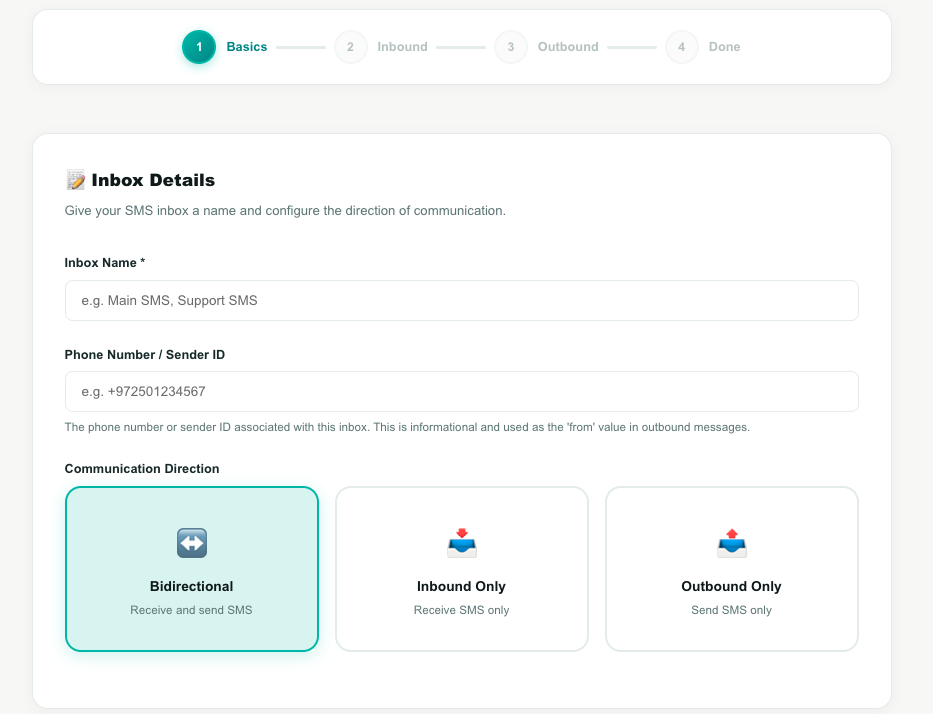
| Field | What to enter |
|---|---|
| Inbox Name | A name such as Main SMS or Support SMS. |
| Phone Number / Sender ID | Optional. The number or sender ID for this inbox (used as the "from" value). |
| Communication Direction | Bidirectional (send and receive), Inbound Only (receive), or Outbound Only (send). |
Click Create Inbox & Continue. Outbound-only inboxes skip to Step 3.
Step 2 — Inbound (receive)
Teloring gives you a unique Webhook URL. Copy it and paste it into your SMS carrier's webhook / callback settings.
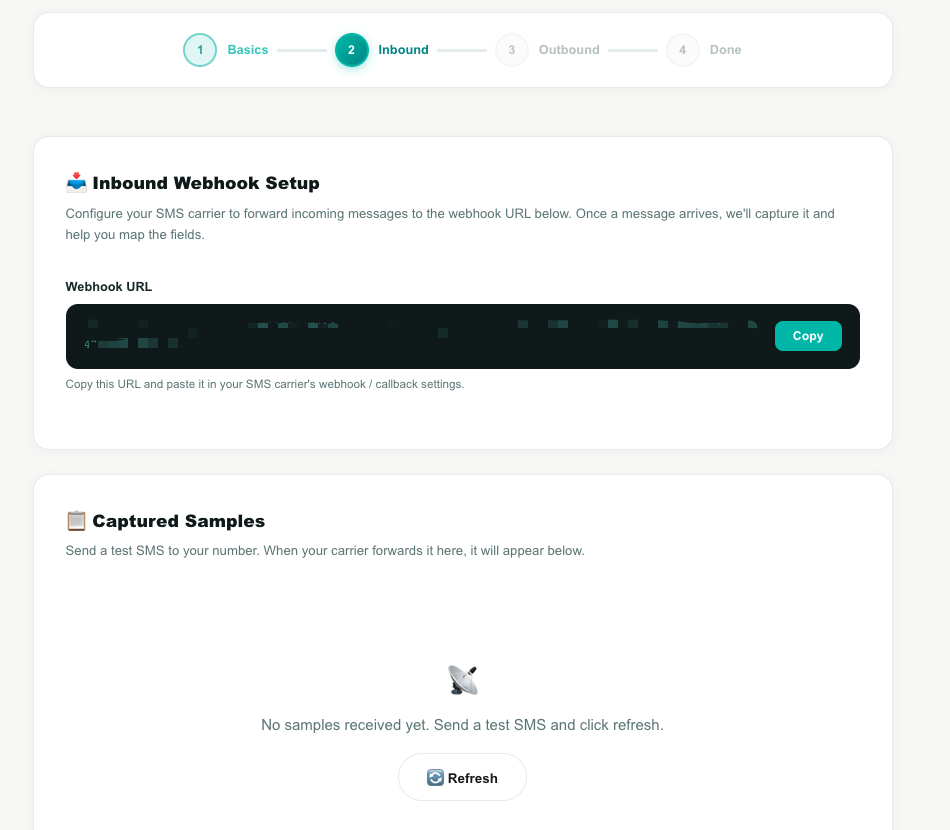
Then send a test SMS to your number. When your carrier forwards it, it appears under Captured Samples (the page checks for it automatically). Once a sample arrives, map its fields to Teloring's:
| Field | Required? |
|---|---|
| Sender Phone | Yes |
| Message Text | Yes |
| Recipient | Optional |
| Message ID | Optional (enables duplicate detection) |
| Timestamp | Optional |
Click Auto-detect Fields to have Teloring guess the mapping from the sample, then adjust if needed. Save Mapping & Continue activates inbound once Sender and Message are mapped.
Step 3 — Outbound (send)
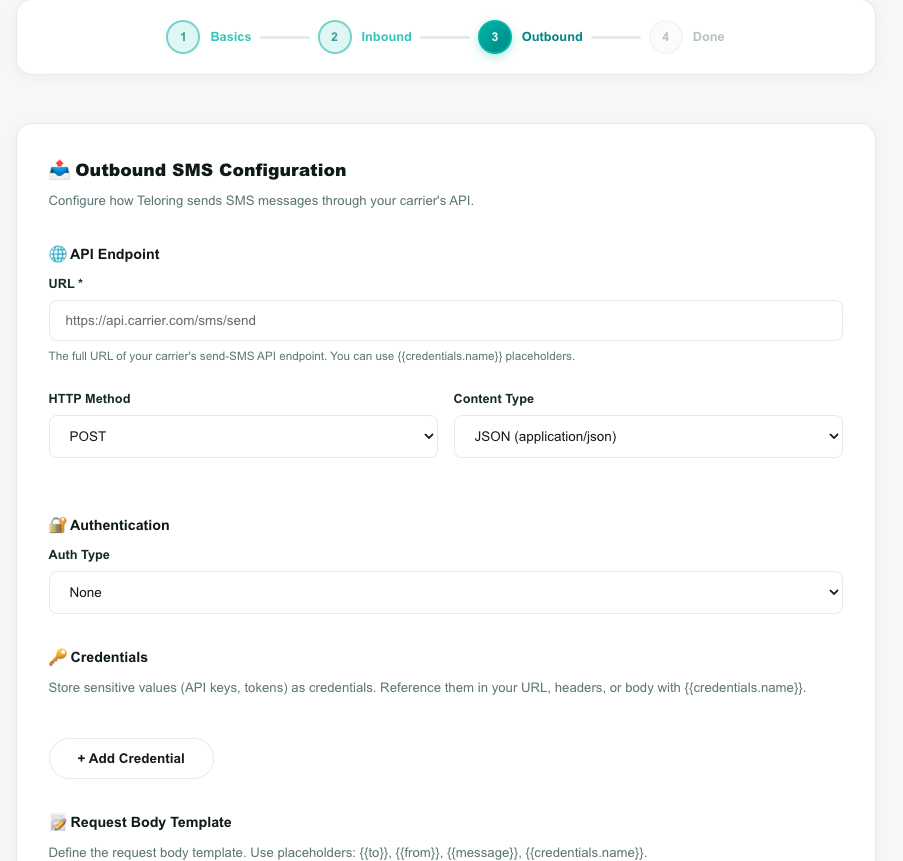
Configure the HTTP request Teloring uses to send texts through your carrier's API:
| Section | Settings |
|---|---|
| API Endpoint | The send URL, HTTP Method (POST / PUT / GET), and Content Type (JSON / Form / XML / Plain Text). |
| Authentication | None, Basic Auth, Bearer Token, Custom Header, or Query Parameter. |
| Credentials | Store secrets (API keys, tokens) here and reference them with {{credentials.name}} in the URL, headers, or body. |
| Request Body Template | The body your carrier expects, using the placeholders {{to}}, {{from}}, {{message}}, and {{credentials.*}}. |
| Response Handling | The success status range (default 200–299) and an optional path to read the carrier's message ID from the response. |
Use Test Send to send a real message to a number you choose and confirm it works — the result panel shows success or failure, the extracted message ID, and the raw response. Then click Save & Finish.
Step 4 — Done
The SMS Inbox Ready! screen confirms the inbox is created and configured.
The SMS edit page
The SMS inbox shows an information panel with:
- Channel Name (editable) and Channel Type.
- The Webhook URL (read-only) to paste into your carrier.
- Direction, Identifier (number/sender ID), Inbound State, Outbound State, and whether AI Copilot is on.
- A Danger Zone to delete the inbox.
Capabilities and limits
| Capability | Detail |
|---|---|
| Two-way text | Send and receive plain text (based on the direction you chose). |
| Any carrier | Works with any provider that can post to a webhook and/or accept an HTTP send request. |
| No media | Images, files, and MMS are not supported. |
| Duplicate protection | Mapping a Message ID field lets Teloring ignore duplicate deliveries. |
| Reliable inbound | Teloring accepts the carrier's webhook in common formats (JSON, form, XML, or raw) and always acknowledges it so the carrier doesn't retry. |
| AI Copilot | Works on SMS like any other channel. |
How inbound SMS becomes conversations
- Your carrier posts the incoming text to the inbox's webhook URL.
- Teloring applies your field mapping to read the sender and message.
- It matches the sender to a contact by phone (or creates one), then reuses their open conversation on this inbox or opens a new one.
- The message is stored, the conversation updates, and real-time updates, Studio triggers, and AI Copilot fire.
A resolved conversation is never reopened — a later text from the same person starts a new conversation. See Conversations.