Instagram Posts
The Instagram Posts inbox brings comments on your Instagram posts and reels into Teloring. Each post's comment thread becomes a conversation, so your team can reply to public comments as your Instagram account. You can also publish new Instagram content from Teloring.
This inbox is labeled Instagram Comments inside the setup and edit screens. It handles public comments — for private messages, use Instagram DM. Both are Meta inboxes and run on the Instagram account linked to your Facebook Page.
Prerequisites
| You need | Why |
|---|---|
| Inbox permission | Connecting a Meta inbox needs My Ring → Create. See Roles and Permissions. |
| A Facebook Page you admin | Instagram connects through its linked Facebook Page. |
| An Instagram Business or Creator account linked to that Page | Required for Instagram data to appear. |
| A Facebook login | You authorize Teloring during setup. |
Connect the Instagram Posts inbox
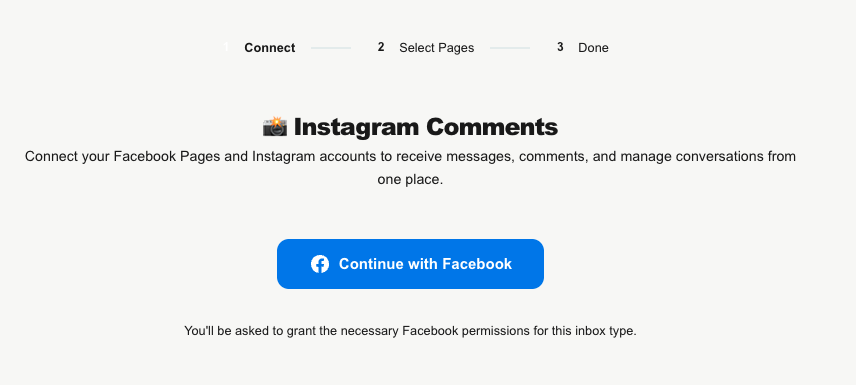
Open My Ring, click the Instagram Posts icon, and choose Add. The Meta setup opens with a three-step bar: Connect → Select Pages → Done.
- Connect — click Continue with Facebook, sign in, and grant permissions. The connection never expires.
- Select Your Pages — choose the Page whose linked Instagram account you want; its Instagram profile (with follower stats) is shown on the card. The chip confirms you're connecting the Instagram Comments inbox.
- Done — Pages Connected! confirms it's live. Click Go to My Ring.
What it handles
- Public comment threads on your Instagram posts and reels. Each post's comments become their own conversation.
- Post context: on the first comment, Teloring pulls in the post's caption, image, permalink, like count, and time. A View on Instagram link opens the original.
- Replying: agents reply publicly as your Instagram account.
- No messaging window: comment replies have no 24-hour limit.
Publish new content
From the conversation area you can publish to Instagram:
| Type | Notes |
|---|---|
| Single Photo | One image (under 8 MB). |
| Reel (Video) | A reel (under 300 MB). |
| Carousel | 2–10 items. |
| Story (Photo / Video) | A photo or video story (video under 100 MB). |
Captions can be up to 2,200 characters. Publishing does not create a conversation, but comments on the new post will.
The edit page
Same layout as the other Meta inboxes: the profile header with the Instagram line, the Instagram profile card with Refresh Instagram Profile, the Inbox Type tile (Instagram Comments), an editable Channel Name, the Business Portfolio — never expires connection info, a Token Health card, Reconnect / Disconnect buttons, and a Danger Zone. Removing the inbox keeps existing conversations.
How comments become conversations
- Someone comments on one of your Instagram posts or reels.
- Teloring matches them to a contact or creates one, and finds (or creates) the conversation for that post's comment thread.
- On the first comment it enriches the conversation with the post's context.
- Real-time updates, Studio triggers, and AI Copilot fire.
Agents reply publicly as your account from Conversations.