Messenger
The Messenger inbox brings private messages sent to your Facebook Page into Teloring. When someone messages your Page on Facebook, it becomes a conversation in the shared inbox, and agents reply as the Page — from the same place they handle every other channel.
Messenger, Facebook Page, Instagram DM, and Instagram Posts are the four Meta inboxes. Each is connected separately as its own inbox, but they all use one Facebook login and the same Page/Instagram account. One Page can power several of these inboxes at once.
Prerequisites
| You need | Why |
|---|---|
| Inbox permission | Connecting a Meta inbox needs My Ring → Create. See Roles and Permissions. |
| A Facebook Page | You must be an admin of the Page whose messages you want to handle. |
| A Facebook login | You authorize Teloring during setup with Continue with Facebook. |
If setup finds no Pages, Facebook will say you need to be an admin of at least one Page.
Connect the Messenger inbox
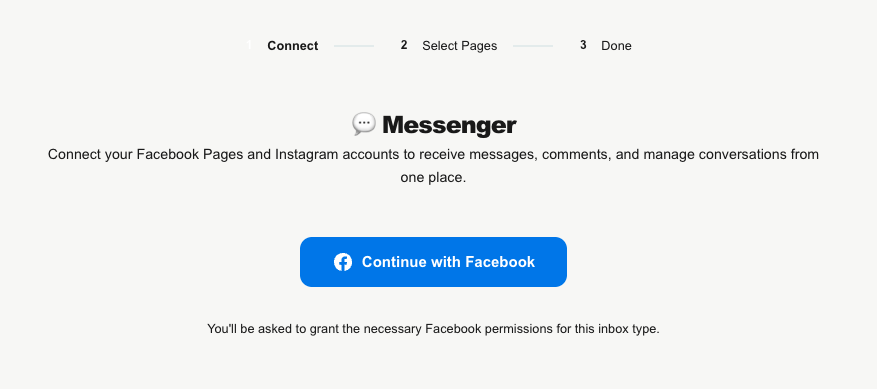
Open My Ring, click the Facebook Messenger icon, and choose Add. The Meta setup opens with a three-step bar: Connect → Select Pages → Done.
- Connect — click Continue with Facebook. A Facebook login window opens; sign in and grant the requested permissions. Teloring's connection to Meta is a Business Portfolio connection that never expires, so you won't need to reconnect periodically.
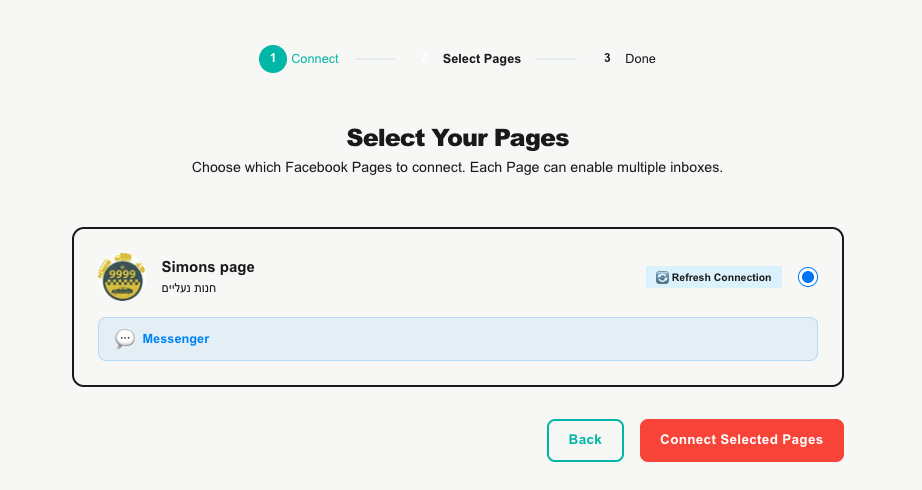
- Select Your Pages — choose the one Facebook Page to connect (Pages already connected to another account are shown as unavailable). The chip confirms you're connecting the Messenger inbox for that Page.
- Done — the Pages Connected! screen confirms the inbox is live. Click Go to My Ring.
What it handles
- Private 1:1 conversations between a person and your Facebook Page.
- Incoming: text and attachments (image, video, audio, file). A shared location arrives as a map link.
- Delivery and read receipts: outgoing messages show sent → delivered → read.
- Replies: send text or a single attachment back as the Page.
The 24-hour messaging window
Facebook only lets you send free-form replies within 24 hours of the customer's last message. A human agent can extend this to 7 days for follow-up. After that window, you cannot message the person again until they message you first.
The edit page
Open the inbox from My Ring to manage it:
| Element | What it shows / does |
|---|---|
| Profile header | The Page picture, name, category, and connection status. |
| Inbox Type | Shows this inbox's type (Messenger). |
| Channel Name | Editable — rename the inbox. |
| Connection info | Business Portfolio — this connection never expires. |
| Token Health | Confirms the connection is valid. |
| 🔄 Reconnect | Re-authorizes the connection if ever needed. |
| Disconnect | Stops receiving messages for this inbox. Existing conversations are kept. |
| Danger Zone | Permanently deletes the inbox (and unsubscribes it from Meta). Conversations remain. |
How Messenger messages become conversations
- Someone messages your Facebook Page.
- Teloring matches them to a contact (merging the same person across your channels where possible), or creates one.
- It opens or reuses their conversation on this inbox and stores the message and any media.
- Real-time updates, Studio triggers, and AI Copilot fire.
Agents then reply, assign, label, and link to a customer — see Conversations.