Facebook Page
The Facebook Page inbox brings comments on your Facebook Page's posts into Teloring. Each post's comment thread becomes a conversation, so your team can reply to public comments as the Page — right alongside every other channel. You can also publish new Page posts from Teloring.
Prerequisites
| You need | Why |
|---|---|
| Inbox permission | Connecting a Meta inbox needs My Ring → Create. See Roles and Permissions. |
| A Facebook Page | You must be an admin of the Page. |
| A Facebook login | You authorize Teloring during setup. |
Connect the Facebook Page inbox
Open My Ring, click the Facebook Page icon, and choose Add. The Meta setup opens with a three-step bar: Connect → Select Pages → Done.
- Connect — click Continue with Facebook, sign in, and grant the requested permissions. The connection never expires.
- Select Your Pages — choose the one Page to connect. The chip confirms you're connecting the Page Comments inbox.
- Done — Pages Connected! confirms it's live. Click Go to My Ring.
What it handles
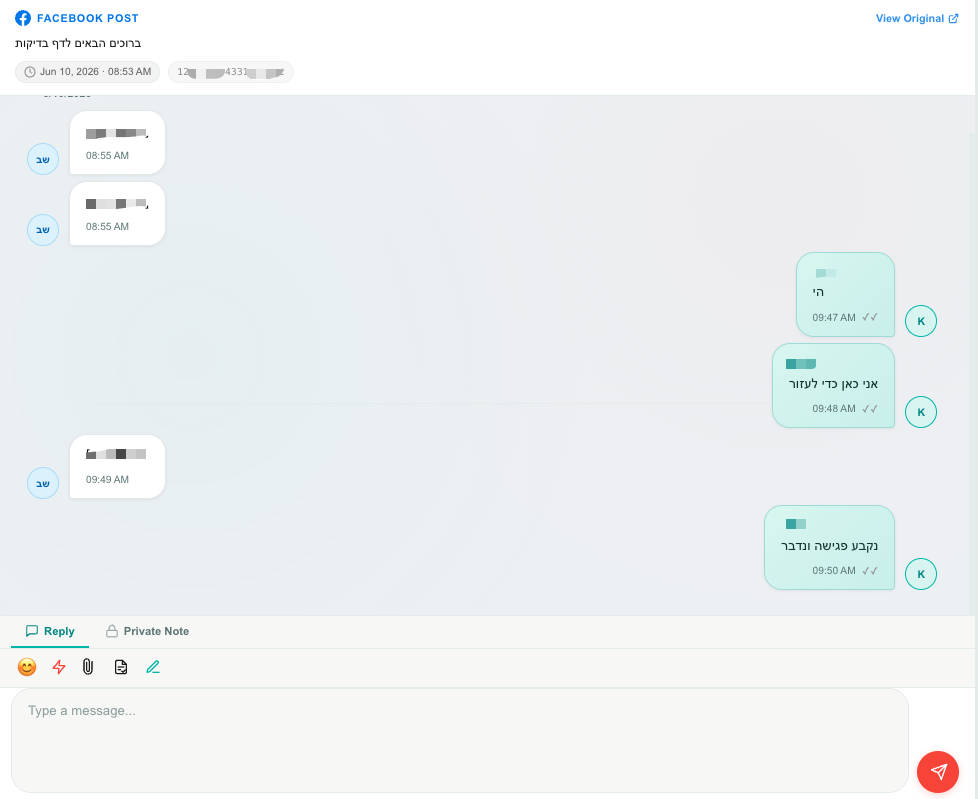
- Public comment threads on your Page's posts. Each post's comments become their own conversation.
- Post context: the first time someone comments on a post, Teloring pulls in the post's text, image, permalink, like count, and time, so the agent has full context. A View on Facebook link opens the original.
- Replying: agents reply publicly as the Page. Teloring mentions the commenter (
@name) so Facebook notifies them. - No messaging window: unlike private messages, comment replies have no 24-hour limit.
Publish a new post
From the conversation area you can publish a new post to your Page:
| Post type | Notes |
|---|---|
| Text Only | A text post. |
| Single Photo | One image. |
| Multiple Photos (Album) | Up to 10 images. |
| Video | A video post. |
Publishing a post does not create a conversation. But when someone comments on it, a new conversation opens automatically so you can reply from Teloring.
The edit page
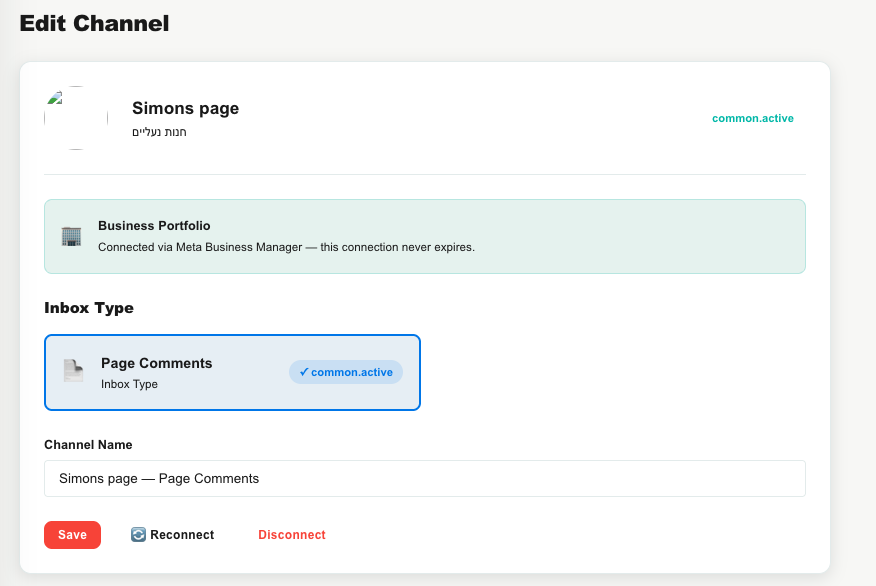
Same layout as the other Meta inboxes: the Page profile header, the Inbox Type tile (Page Comments), an editable Channel Name, the Business Portfolio — never expires connection info, a Token Health card, Reconnect / Disconnect buttons, and a Danger Zone. Disconnecting or deleting keeps existing conversations.
How comments become conversations
- Someone comments on one of your Page's posts.
- Teloring matches them to a contact or creates one, and finds (or creates) the conversation for that post's comment thread.
- On the first comment it enriches the conversation with the post's context.
- Real-time updates, Studio triggers, and AI Copilot fire.
Agents reply publicly as the Page from Conversations.