API
The API inbox is a developer inbox for pushing messages into Teloring from any custom system — your own app, a legacy platform, or a channel Teloring doesn't natively support. You create the inbox, get an endpoint, and POST messages to it. Each message becomes a conversation just like any other channel, so your custom integration lands in the same shared inbox agents already use.
Prerequisites
| You need | Why |
|---|---|
| Inbox permission | Creating an inbox needs My Ring → Create. See Roles and Permissions. |
| A personal API token | Requests authenticate with an agent's personal token (created in your profile). |
| A system that can send HTTP requests | To POST messages into the endpoint. |
Create an API inbox
Open My Ring, click the API icon, and choose Add.
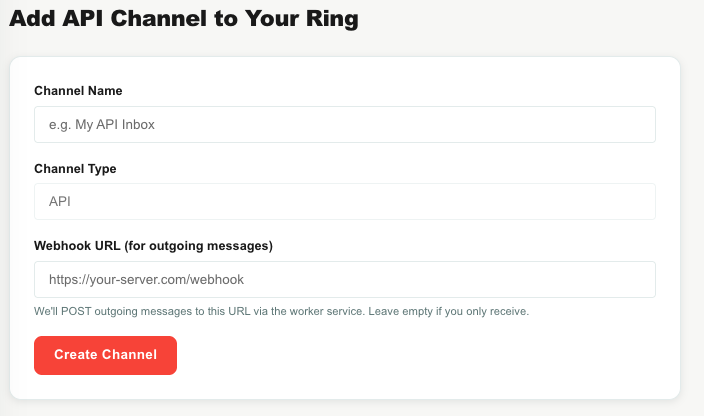
| Field | What to enter |
|---|---|
| Channel Name | A name such as My API Inbox. |
| Channel Type | Read-only (API). |
| Webhook URL (for outgoing messages) | Optional. If you provide it, Teloring will POST outgoing messages (agent replies) to this URL so your system can deliver them. Leave it empty if you only push messages in. |
Click Create Channel. The success screen (and the inbox's edit page) shows the details you need to integrate.
Sending messages in
After creation you get:
- Your Channel ID — the inbox's numeric ID.
- Endpoint — the URL to POST messages to, of the form
.../accounts/{account}/channels/{channel}/incoming. - Sample cURL and Sample Python — ready-to-use code you can copy.
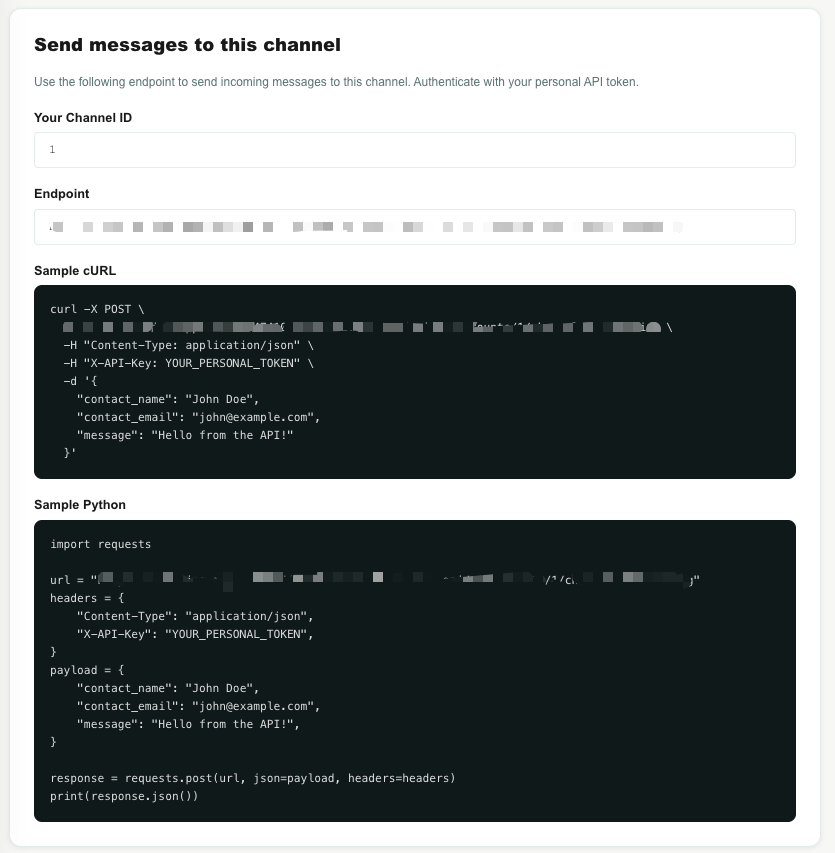
Authenticate each request with your personal token in the X-API-Key header. The message payload accepts:
| Field | Meaning |
|---|---|
message | The message text (required). |
contact_id | An existing contact to attach to (optional). |
contact_name, contact_phone, contact_email, contact_picture | Details used to match or create the contact when no contact_id is given. |
file_url | An optional attachment. |
contact_attributes | Custom fields to set on the contact. |
Teloring finds or creates the contact, finds or creates an open conversation, stores the message, and returns the resulting contact_id, conversation_id, and message_id.
The setup and edit pages include the exact request format for your inbox. Copy the cURL or Python sample to get started quickly.
The API edit page
The edit page lets you rename the inbox, set or change the outgoing Webhook URL, and review the sample code. A Danger Zone deletes the inbox (existing conversations are kept).
Outgoing messages (optional)
If you set a Webhook URL, agent replies on this inbox are POSTed to it so your system can deliver them to the customer. This makes the API inbox fully two-way for a custom channel.
How API messages become conversations
- Your system POSTs a message to the inbox's
incomingendpoint with yourX-API-Key. - Teloring matches or creates the contact, opens or reuses a conversation, and stores the message.
- Real-time updates, Studio triggers, and AI Copilot fire, and agents reply from Conversations as usual.