Workspace Tour
The Teloring workspace is built around one idea: every customer channel should be handled from one place, while the CRM and automation context stay close to the conversation.
Main layout
The application has three main areas:
| Area | What to look for |
|---|---|
| Sidebar | The main navigation: Dashboard, Conversations, Customers, My Ring, AI tools, Studio, Analytics, and admin pages. |
| Header | Account-level controls such as language, theme, credit indicators, notifications, and profile access. |
| Page content | The active workspace, such as the conversation desk, customer list, Studio canvas, or inbox setup page. |
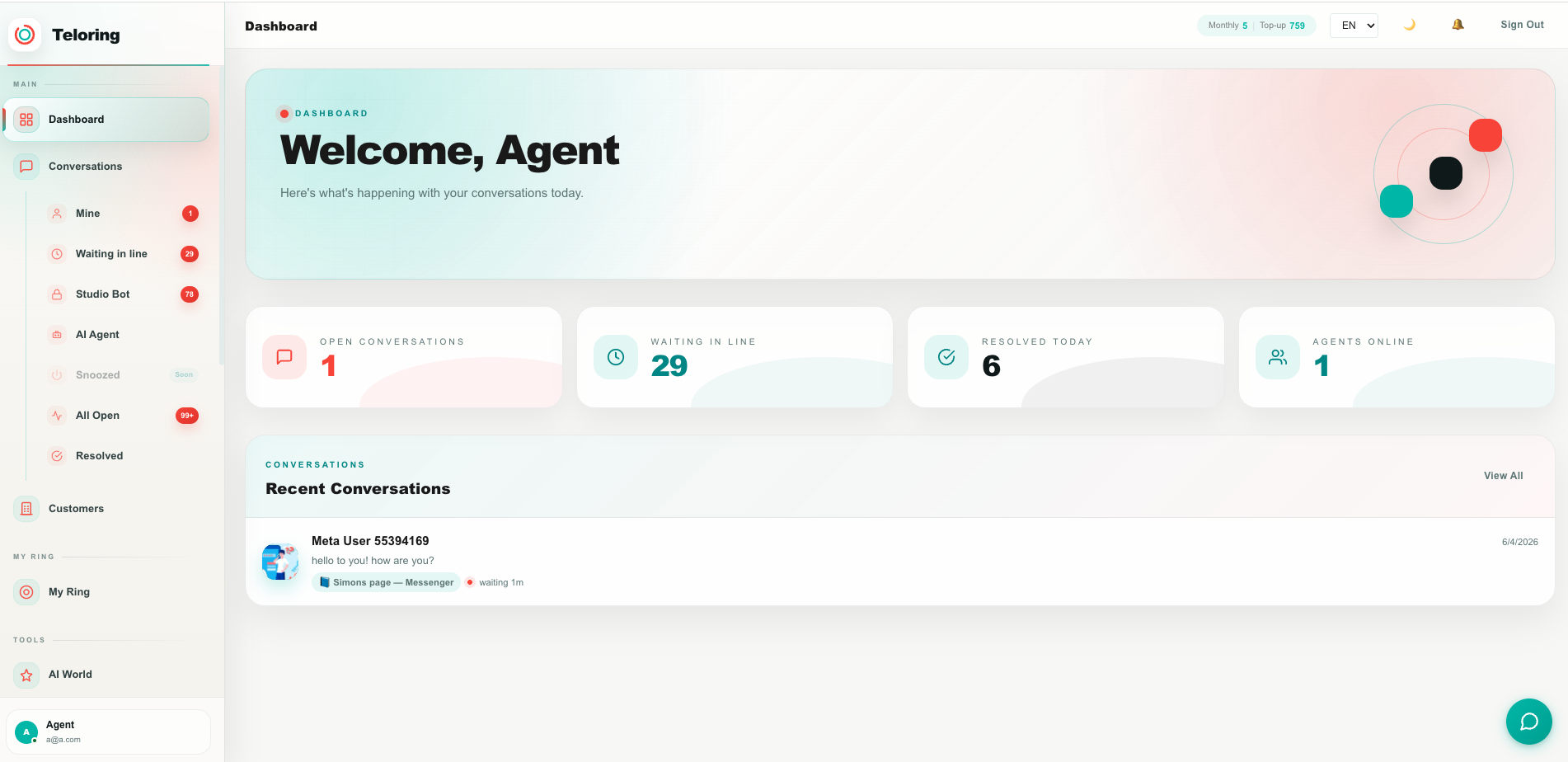
Dashboard
The Dashboard gives a quick operational view before an agent opens the conversation desk.
You can use it to see:
| Card or panel | Meaning |
|---|---|
| Open conversations | Conversations currently open and assigned to you or visible to your role. |
| Waiting in line | Conversations waiting for an agent to take them. |
| Resolved today | Conversations closed during the current day. |
| Agents online | Current online presence from the realtime service. |
| Recent conversations | A fast entry point into the latest customer activity. |
Clicking a dashboard card opens the relevant conversation queue.
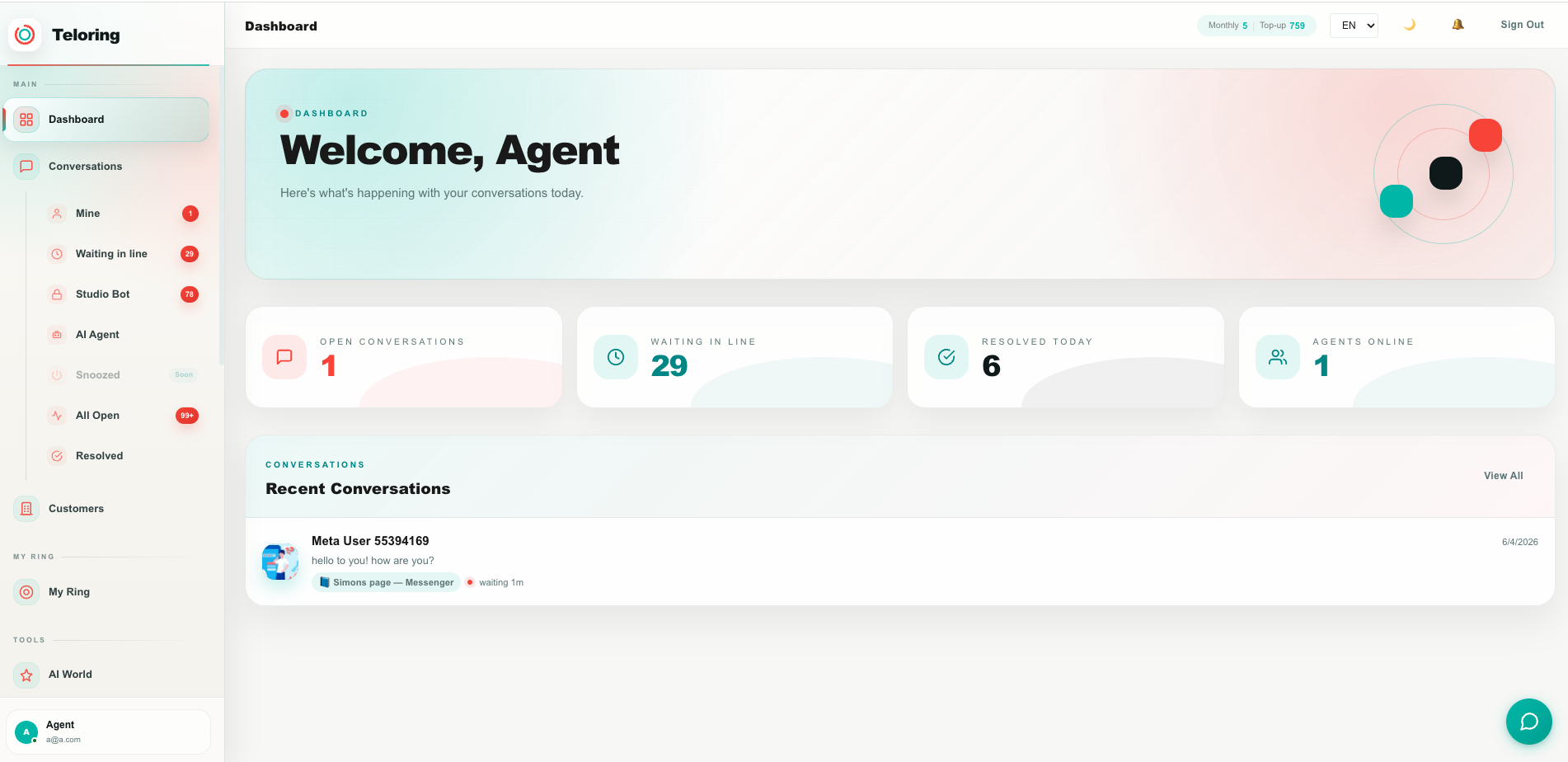
Sidebar sections
The sidebar is grouped by work type.
| Sidebar section | Pages |
|---|---|
| Main | Dashboard, Conversations, Customers |
| My Ring | Channel and inbox setup |
| Tools | AI World, Achievements, Knowledge Base, Files Warehouse, Documents Signature, Studio, Quick Replies |
| Analytics | Analytics dashboards and reports |
| Admin | Settings, Agents, Audit Log, Billing, Support |
The sidebar can be collapsed. Teloring remembers the collapsed state per agent and per account.
Conversations queues
The Conversations menu includes common queues:
| Queue | Use it when |
|---|---|
| Mine | You want to continue conversations assigned to you. |
| Waiting | You want to take the next unassigned customer conversation. |
| Chatbot | You want to review conversations currently handled by a bot flow. |
| AI Agent | You want to review conversations owned by an AI agent. |
| All Open | You want a wider operational view across open conversations. |
| Resolved | You want to search or review completed conversations. |
Language and direction
Teloring supports English and Hebrew. Hebrew pages use right-to-left layout. Each agent can have a default language, and language can also be changed from the workspace header.